 Senior Guardian — How It Works
Your parent is just one click away from losing everything. Until now.

 How it works
 Dignity-first design
 Privacy-first protection
Senior Guardian works silently in the background, protecting aging loved ones from phishing, scams, impersonation fraud, and malicious links — without invading their privacy or changing how they use their devices.
Recommended by elder care advocates

AARP-style trusted positioning
Works on any device
Seniors lose $3.4 billion to
digital fraud every year.
And the methods are getting more sophisticated every day.
Losses
(1 in 18)
Digital Literacy
in 2023

🎣 Phishing Attacks
Fake bank emails, IRS impersonation calls, and Medicare fraud that look completely real to an untrained eye.
💰 Financial Scams
Grandparent scams, tech support fraud, and fake lottery winnings that target loneliness and trust.
📱 Malicious Links
A single click on the wrong SMS link can install malware, steal banking credentials, or lock their device for ransom.
Why existing tools fail seniors

Privacy Invasion
Cloud monitoring turns seniors' homes into surveillance zones.
Complexity Barriers
Apps designed without senior input create frustration.
Reactive Rather Than Preventive
Tools only activate after damage is done.
Rural Connectivity Gap
Most solutions require stable internet, leaving rural seniors unprotected.
Protection that respects their independence.
Senior Guardian works quietly in the background. Your loved one never has to configure anything.

Detect Locally
On-device AI analyzes messages, calls, and interactions for risk patterns – scam language, urgency tactics, coercion indicators – all processed without sending data anywhere.
Explain Gently
When risk is detected, provides a calm, shame-free explanation using simple language that empowers rather than frightens.


Offer Choices
Seniors maintain control: review the message with AI guidance, ignore the warning, call a trusted contact, or connect to local support networks.
"This message may be trying to pressure you into sending money urgently. Would you like help reviewing it before responding?"
"This interaction is calm, human, and shame-free. It treats seniors as capable decision-makers who sometimes need support — not as children who need constant supervision."
Built for where seniors live — including rural communities.
Rural seniors face 3x higher financial scam exposure but the lowest access to digital safety tools. RoseShield was built for the realities of rural life.

No Internet Required
Complete functionality offline. The AI runs entirely on the device.

Family Caregiver Support
Family members receive optional notifications without constant monitoring.

Local Network Integration
Connects with existing rural care networks and community health workers.

Early Intervention
Proactive support before crises develop, shifting from emergency response to prevention.
Blocks the scams before they see them.
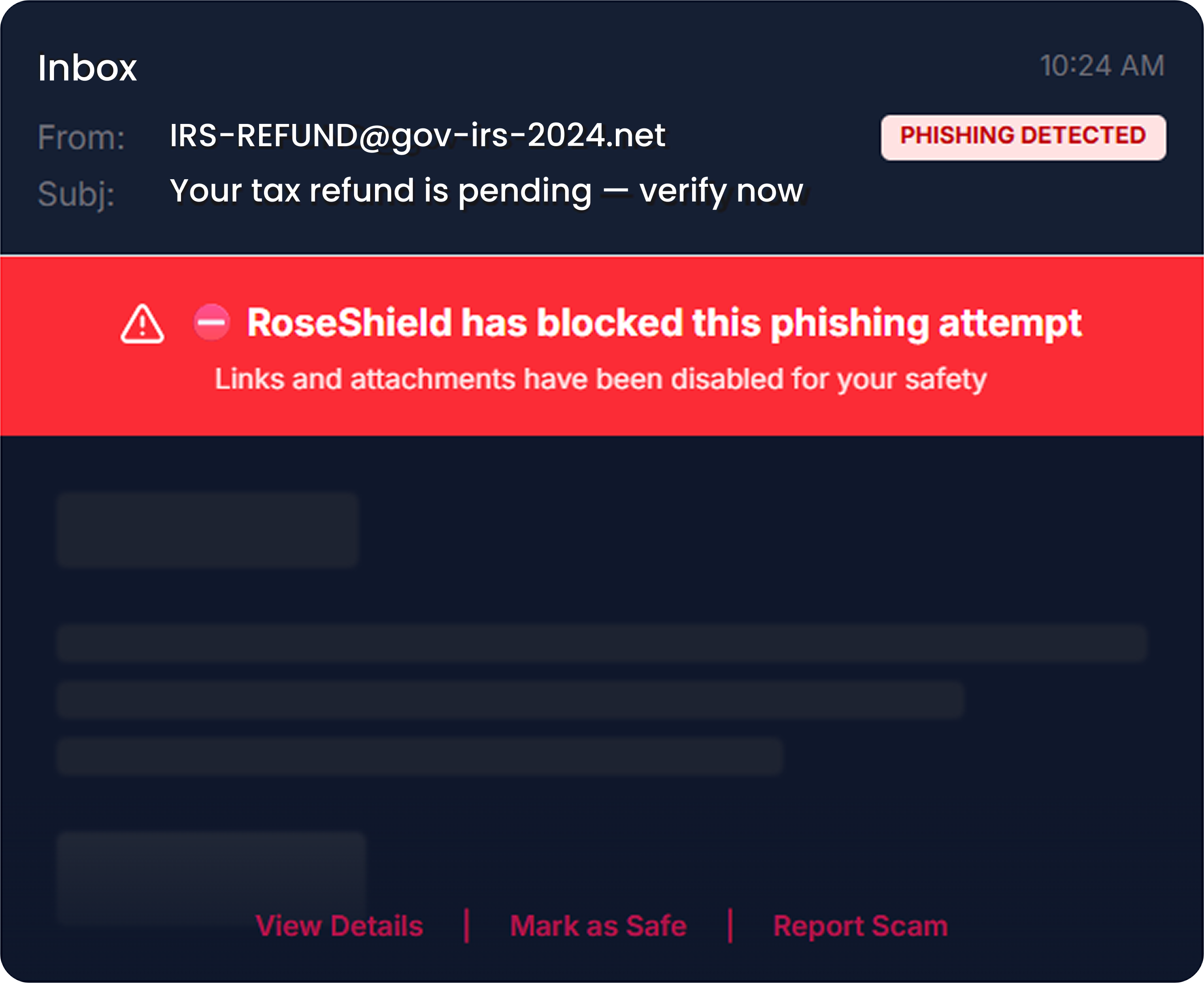
Senior Guardian analyzes every link, email header, and website domain against a continuously updated threat database. Known scam patterns – from fake IRS calls to Medicare fraud to romance scams – are blocked at the source.
 Phishing URL blocking (real-time)
- Email header analysis
- Romance scam pattern recognition
- Fake package delivery scam blocking
- Fake bank & government site detection
- SMS suspicious link warnings
- Tech support fraud alerts
- Lottery & prize fraud detection
Attempted wire transfer to unknown account blocked
Dad's laptop • Action taken: Blocked automatically
Suspicious link in WhatsApp message
Mom's iPhone • Link disarmed, not opened
Safe browsing session ended
Dad's iPad • 42 minutes on YouTube
You'll know when something's wrong. Instantly.
When Senior Guardian detects a threat or unusual behavior, designated family members receive an immediate alert — with full details and recommended next steps.
- Instant push notifications to family
- Threat level classification
- Monthly safety reports
- Severity-based escalation
- Email summaries for non-smartphones
- One-tap call button to loved one
- Multiple family member designation
- Activity feed in dashboard
The web, made safe for them.
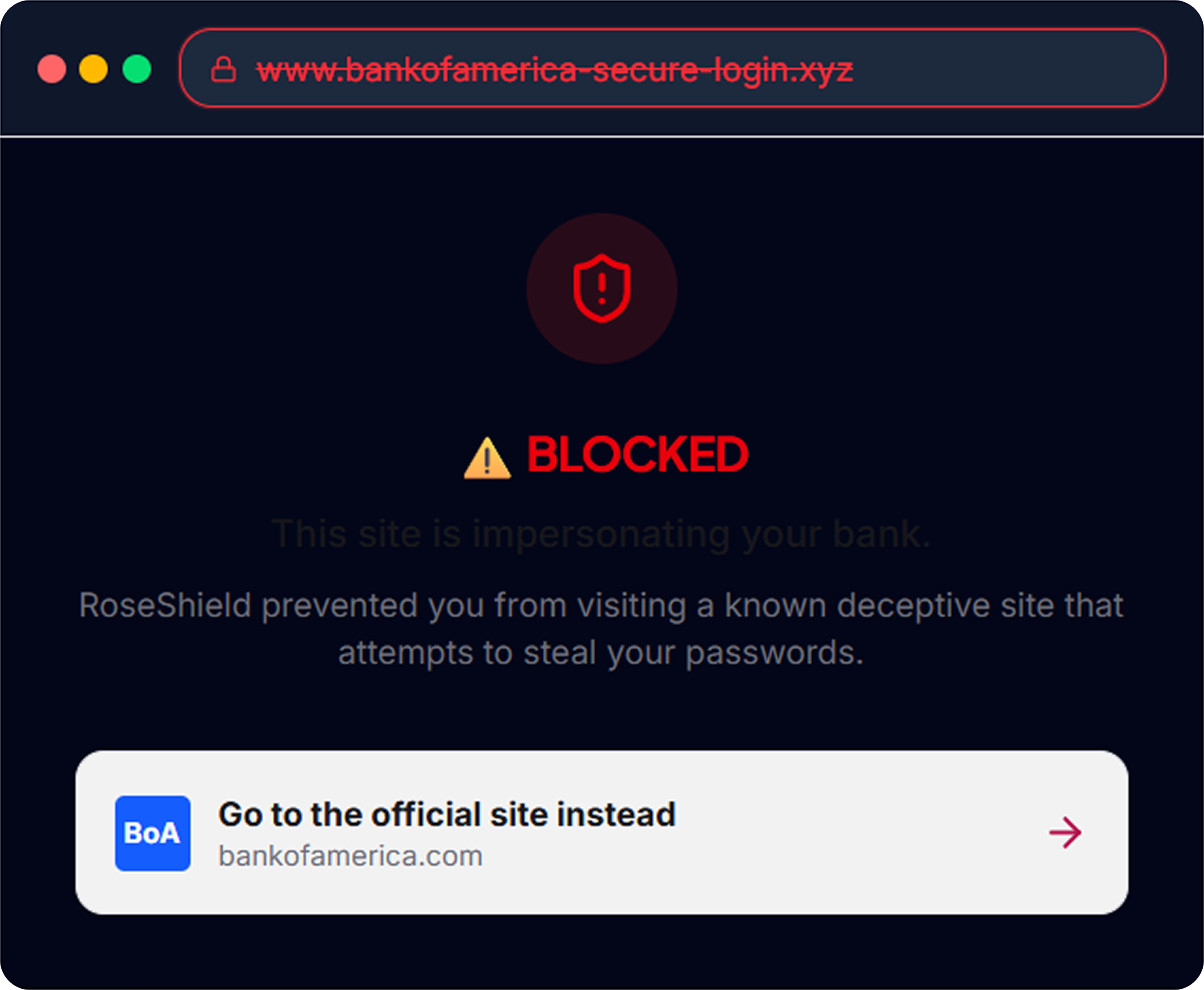
Senior Guardian ensures every website they visit is legitimate. Fake e-commerce sites, cloned banking portals, and malicious redirects are all blocked before the page loads.
- Real-time website authentication
- Safe shopping mode
- Malware download prevention
- Dangerous ad network blocking
- Cloned banking site detection
- HTTPS-only enforcement
- Pop-up scam blocking
- Video call safety verified
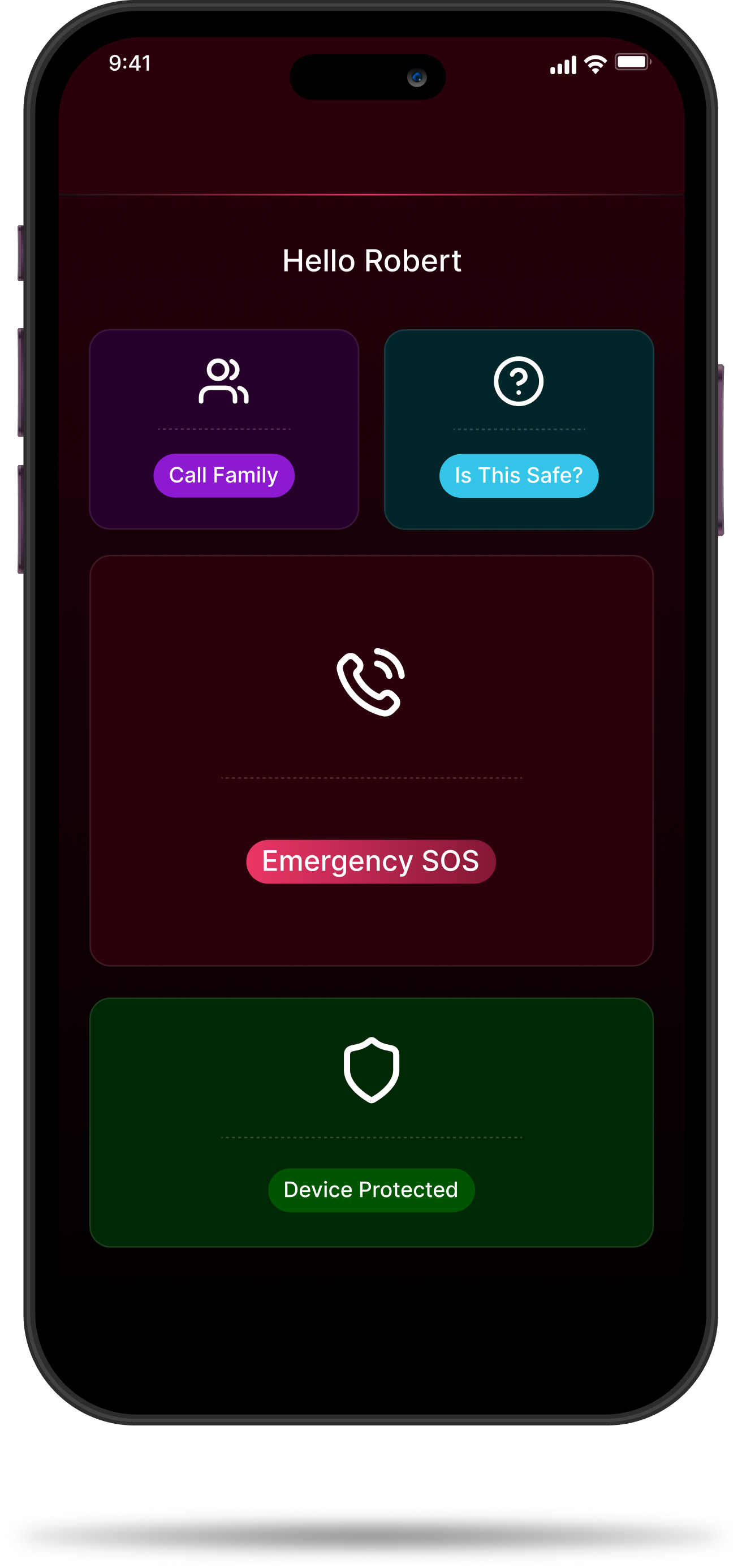
When they need help, help is one tap away.
Senior Guardian includes an optional companion widget that gives your loved one one-tap access to emergency contacts, family video calls, and a SOS button — all without navigating complex apps.
- Emergency SOS button
- Large-text safety status
- Battery & connection monitor
- Optional check-in reminders
- One-tap family video call
- "Is this safe?" AI assistant
- Gentle daily safety tips
- Remote device health check
We protect. We don't spy.
Senior Guardian was built with the dignity and independence of elderly users as a core design principle.
No Biometric Collection
Zero facial recognition, fingerprints, or voice analysis.
No Personal Data Storage
Names, locations, contacts — none collected or transmitted.

No Third-Party Sharing
Nothing to sell, nothing to leak, nothing to hack.

Zero Cloud Footprint
All processing happens locally — no external servers.

Encrypted Local Storage
Your data stays on device, secured with industry-standard encryption.

Audit-Ready Architecture
Verifiable privacy claims — regulators can inspect and confirm.
“Safety without surveillance. This isn't a marketing claim — it's an architectural guarantee.”
Works on every device they already own.
 iPhone & iPad
 Android Devices
 Windows PCMac Computer
 Amazon Device
Real families. Real protection.
Real peace of mind.
Proprietary Edge AI — No Data Leaves the Device
RoseShield’s proprietary on-device AI is purpose-built for consumer hardware — optimized to run entirely on any smartphone with no cloud dependency.

Proprietary On-Device AI Engine
Optimized for on-device inference with minimal resource consumption. Runs on devices up to 7 years old.

Zero Cloud Footprint
All processing happens locally. No external servers. No cloud databases. Nothing to breach.
Encrypted Local Storage
All data remains on device, secured with industry-standard encryption protocols.
 Policy Engine: configurable rules for caregiver notifications
 Mobile Operator Integration: direct SOS channel support
Simple pricing. Priceless protection.
30-day free trial · No contract · Cancel anytime

Senior Essentials
- 1 senior protected
- 3 family guardian alerts
- Phishing & scam blocking
- Monthly safety reports
- Web & browser protection

Senior Premium
- 1 senior protected
- Unlimited family members
- ALL protection features
- Emergency SOS button
- Priority 24/7 support
- Family dashboard access
- “Is This Safe?” AI assistant
- Device health monitoring
Add to any RoseShield Family Plan for just $3.99/mo extra
Pilot Program Results
From our AscendRural partnership pilot across 50 senior participants in rural communities:
Scam Prevention
Target reduction in successful fraud attempts
Comfort Increase
Seniors feeling more confident using technology
Stress Reduction
Decrease in caregiver anxiety levels
False Alarms
Maximum acceptable false positive rate
Frequently Asked Questions
No. You install it once (takes about 2 minutes) and they never need to configure or interact with it.
Don’t wait for the call you
dread.
Protect your loved one today. Takes 2 minutes to set up.
30 days free · No credit card · Cancel anytime
Already protecting 50,000+ seniors across the US